JobSlot results
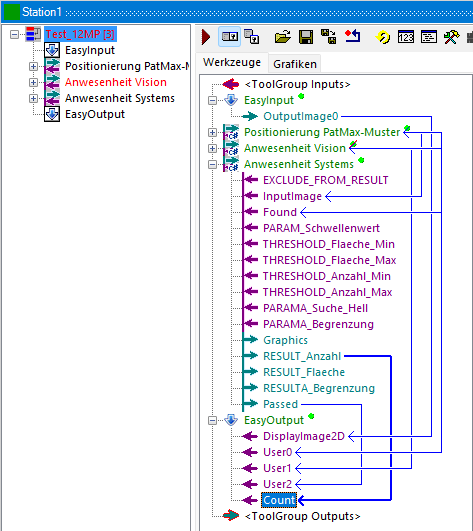
In order to be able to further use results from the inspection sequence EasySightPro® (e.g. output via an interface), these must be added as entries in the EasyOutputTool under the settings. The name assigned here can then be used to access the result.
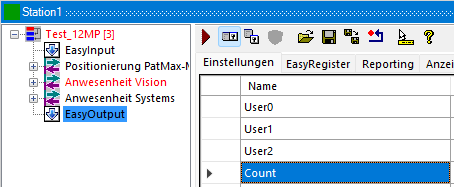
You can then assign values to these entries by linking them graphically. The data type is automatically taken over from the assigned value the next time EasyOutputTool is executed.